12.6 Variable Sets - different model inputs, same model
You can create multiple variable sets to store different model input scenarios within a model. Each variable set contains a different set of root node variable definitions. No definitions at other nodes or other model inputs are affected by variable set selection.
We will use the Legal example model BreachOfContract-VariableSets.trex to examine variable sets.
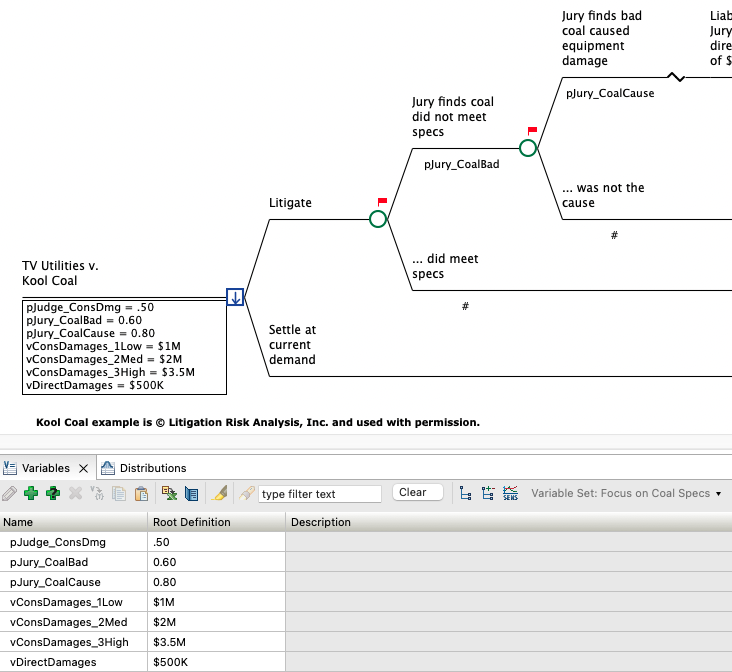
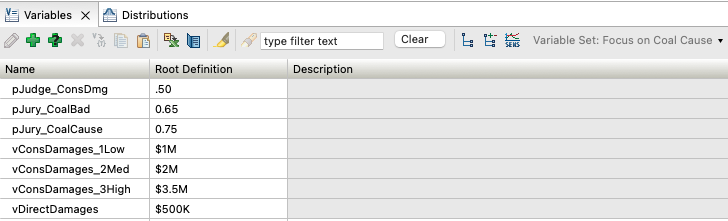
Note the Variable Set selected is Focus on Coal Specs at the right of the Variables View toolbar. This model has a second Variable Set Focus on Coal Cause as shown below. Two variable definitions vary betwee the sets - pJury_CoalBad and pJury_CoalCause.
To create a new variable set:
-
Click the down arrow to the right of the Variable Set selection.
-
Choose the option Add/Rename Set.
-
Click the "+" icon.
-
Enter the Variable Set name and press Enter.
-
Click OK.
Note that a new Variable Set will carry forward any root node definitions from the current Variable Set.
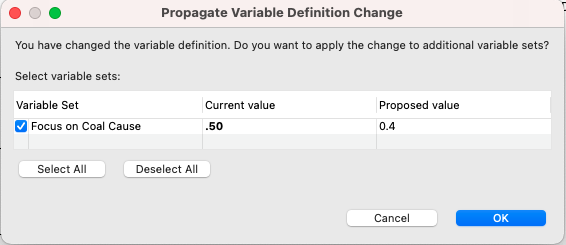
At this point, nothing has changed in the model because the root node variable definitions in the new Variable Set match the ones in the original set. When you change any variable definition in the a Variable Set, you will be prompted to update the definition only for the selected Variable Set or for other Variable Sets as well. TreeAge Pro will default to applying the changes in all Variable Sets where the original values match prior to the definition edit.
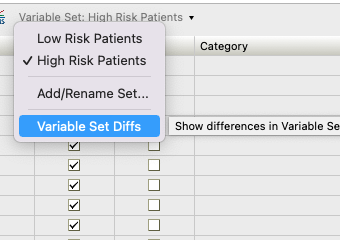
To review the which root node variable definitions are different among Variable Sets, choose the Variable Sets Diff Report option from the Variable Sets dropdown menu (as below).