17.2 Showing Extra Payoffs
You can create additional payoff sets in TreeAge to capture additional model outcomes. The Legal Example model Legal-CalculateExtraPayoffs.trex captures three distinct outcomes – the first is the active payoff for decision analysis, plus two additional payoffs.
The three enabled payoffs are:
-
Total Award
-
Compensatory damages
-
Punitive damages
To review the model setup for calculating and displaying extra payoffs:
-
Open Tree Preferences.
-
Navigate to Calculation > Calculation Method.
-
Review the calculation method is Simple and the Active Payoff is 1.
-
Navigate to Calculation > Payoffs.
-
There are 3 enabled payoffs, creating 2 additional payoffs in addition to the active payoff.
-
The “Calculate extra payoffs” box is checked so all payoffs will be calculated during analysis.
-
Navigate to Calculation > Payoffs > Custom Names.
-
Appropriate names are entered for each payoff set.
-
Navigate to Display > Payoffs.
-
The “Show extra payoffs” box is checked to display the three additional payoffs in the model display.
-
The “Show active payoffs below terminal nodes” box is checked to show the active and additional payoffs in the same way.
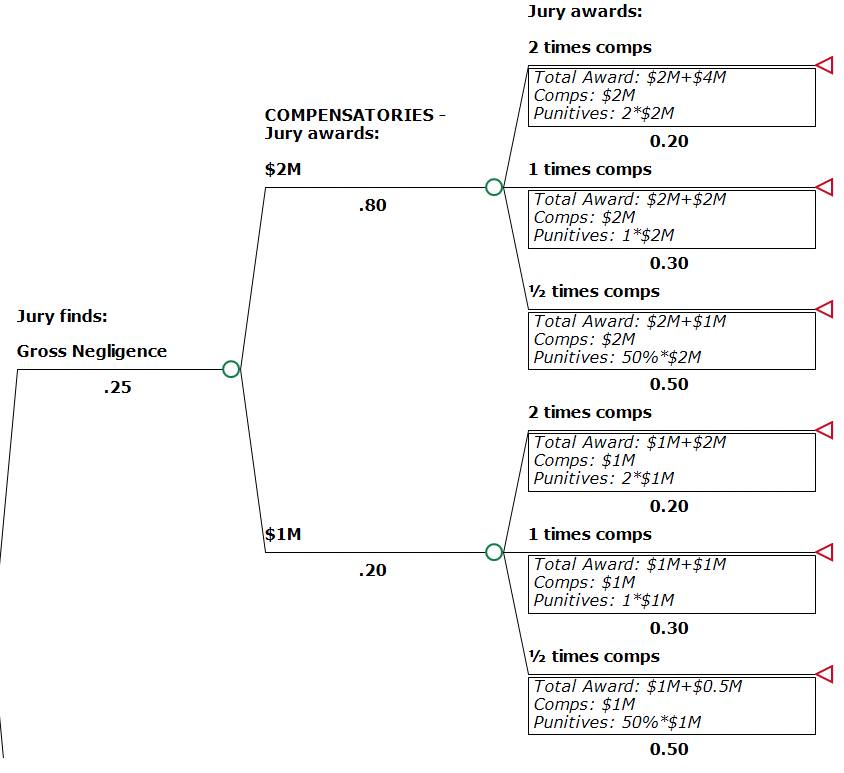
In the example model, note the three payoff entries shown below each terminal node. Specifically, the top terminal node includes:
-
$2M in "Comps" for payoff 2
-
twice that value for "Punitives" in payoff 3
-
The sum of the two component awards as "Total Award" in Payoff 1
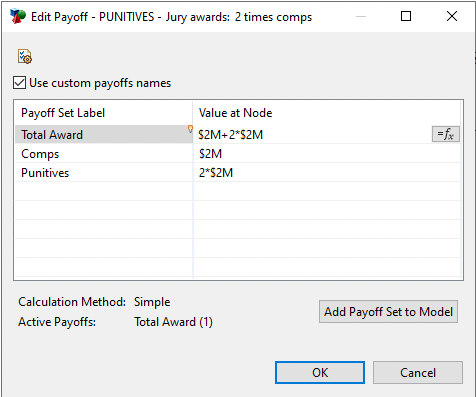
This approach allows the model to return values for Total Award as well as the two component awards - Comps and Punitives.
When we roll back the tree, expected values for the active and three additional payoffs are calculated and displayed beneath each node in the model.
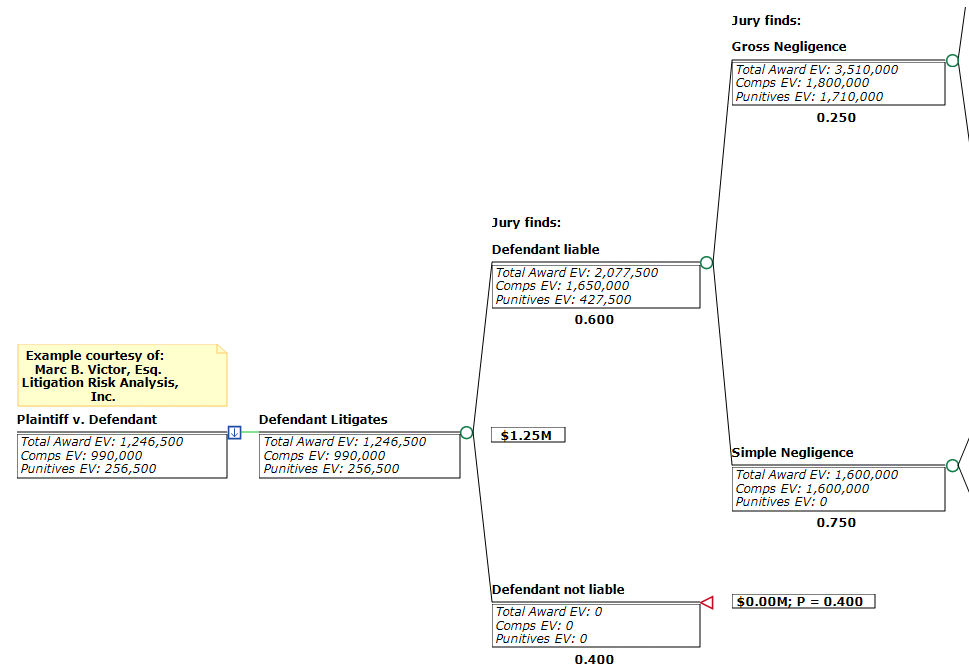
Note that the payoff labels include "EV" to indicate that these are Roll Back calculated values rather than inputs.