46.2 Calibration View
Use the Calibration View to setup and run calibration. Open it via the Views list in the application toolbar.
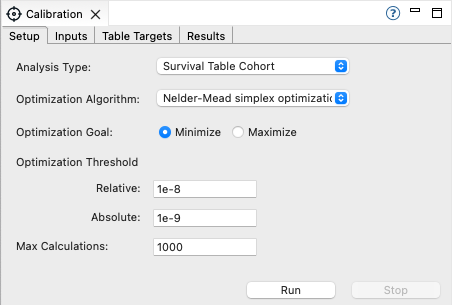
The Calibration View contains four tabs.
-
Setup: Set up the calibration analysis type, algorithm and tolerance.
-
Inputs: Choose the model inputs that the calibration process can adjust.
-
Targets: Choose the calibration targets you are trying to match.
-
Results: Examine the calibration results.
Subsequent sections will describe each tab in detail.
You can Run/Stop the calibration process with any of the tabs selected, using the buttons at the bottom right-hand side.